01
Notice it
Capture the detail while it is fresh.
Add a private note to a host or viewer, save a request, tag a favorite, or set a reminder without leaving the show.
 WhatNote
Chrome extension · Free beta
WhatNote adds private notes and useful context to Whatnot, so buyers and mods remember who sells what, who wants what, and which shows deserve attention.
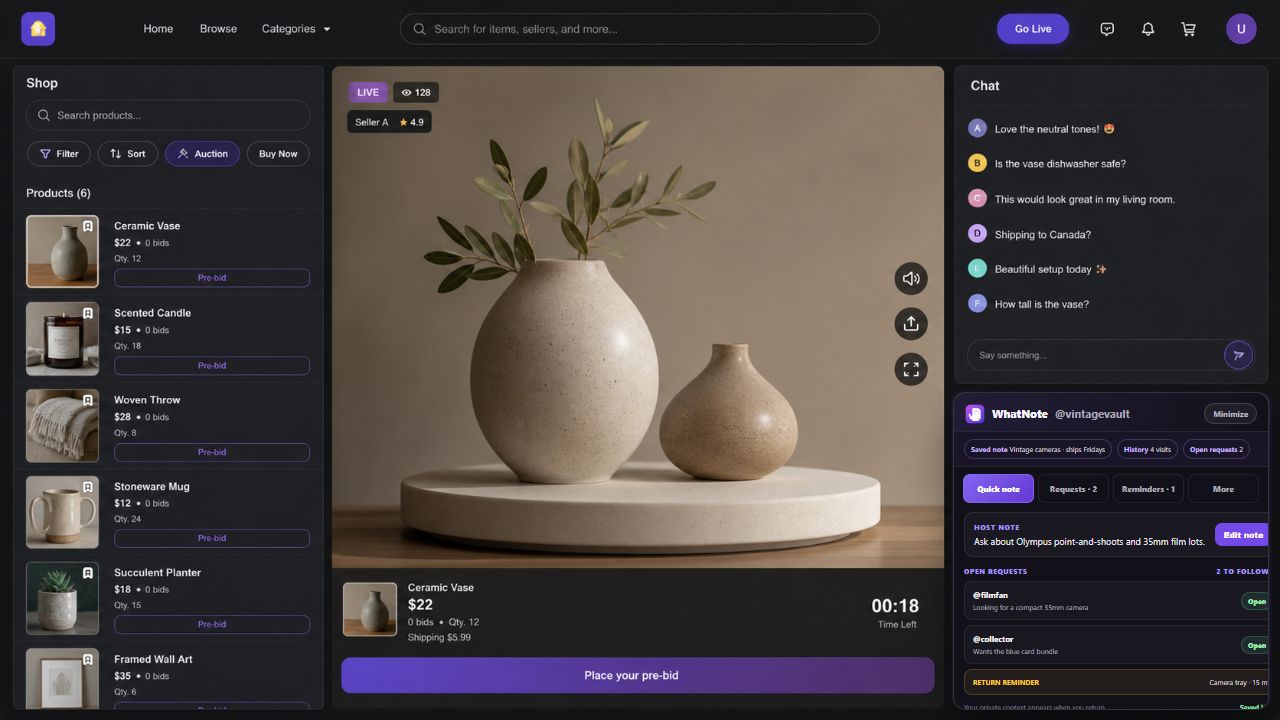
Because chat scrolls away, but the useful details should not.
Make the note once
WhatNote lives in the places where the information becomes useful—not buried in a separate document.
Notice it
Add a private note to a host or viewer, save a request, tag a favorite, or set a reminder without leaving the show.
See it again
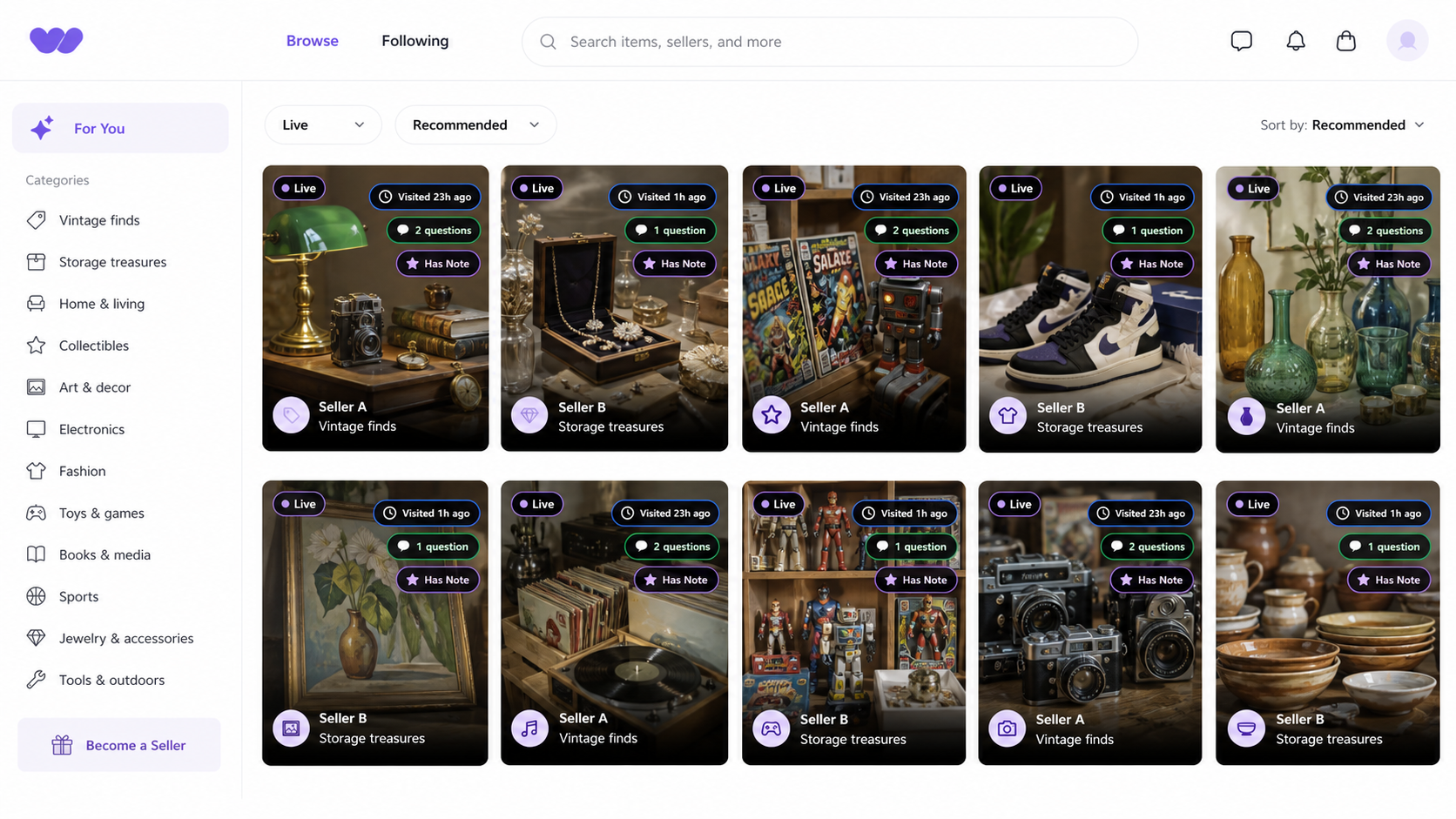
Feed badges show where you have been, which shows have notes, and where you already asked a question.
Act on it
Use quick tags, saved comments, and reminders to follow up without reconstructing yesterday's chat.
Recognize the right show
Small badges carry your history into the browse page: when you visited, whether you asked a question, and whether a saved note is waiting.
Built for the people in the room
For Buyers
Remember which hosts carry the things you collect, what you already asked, and when the item you want is likely to run.
For Mods
Save the hosts you mod for, load the right quick-comment kit automatically, and keep item-specific viewer lists ready when chat moves fast.
For Sellers
Keep lightweight notes on repeat buyers, open requests, and useful follow-ups from one show to the next.
Moderator Toolkit
Mark the hosts you help once. WhatNote recognizes those shows and brings forward the tools you saved for that host—without cluttering the experience everywhere else.
Choose which quick-comment categories belong in that room.
Click a viewer name and remember who wants cameras, cards, shoes, or any item type.
Select viewers, respect the chat limit, review the draft, and send each message yourself.
The quick guide
Capture something in the moment, see it when it matters, and organize it later.
During a live show
Use the WhatNote stream bar to open Host Notes or Viewer Notes, save quick context, choose a favorite, and set a return reminder.
On a username
Click a chat username to add an @tag, save a request, or choose a 24-hour show note versus a permanent note for future shows.
While browsing
Badges surface visits, questions, saved notes, favorites, dislikes, and active reminders directly on live-show cards.
From the extension
Search notes and requests, edit presets, revisit favorite hosts, manage reminders, and append or replace a versioned backup across devices.
When you are moderating
WhatNote recognizes hosts you explicitly save, surfaces their comment kit and interest lists, then prepares reviewable mention batches. You remain in control of every message sent.
Private by design
WhatNote keeps extension data in your browser and Chrome Sync when enabled. Host notes, viewer requests, modded-host profiles, interest lists, visit history, and reminders are not sent to us, advertisers, or analytics services.
Founding free beta
Join with your email. The first 25 people can download the current Chrome extension; after that, the waitlist stays open for the next group. The beta is free, and optional support is not a paid edition.